AegisAI Perspectives · 062
Detect QR code phishing in email by decoding the image to its URL, checking the real domain and redirects, and setting Microsoft 365 and Gmail controls.
To detect QR code phishing in email, decode the QR image to its URL and judge that URL like any other link, because the link is hidden inside an image15. Users rarely check it themselves: 73% of Americans scan QR codes without verification of any kind14. AegisAI decodes each QR code to a URL and detonates it like any other link24, so the verdict rests on the destination, not on the picture.
QR code phishing, also called quishing, puts the phishing link inside a QR image instead of in the message text. A filter that reads text and links sees a picture, so the link never reaches its URL checks.
The UK National Cyber Security Centre says not all security tools designed to detect phishing emails will scan images, so a QR code pointing to a malicious website might slip through21. The scan then happens on a phone. Users are more likely to scan with a personal phone, which lacks the protections of an employer computer.
Attackers also move the code into attachments. One campaign reported by Microsoft sent PDF attachments with QR codes to more than 2,300 organizations18. The same gap explains why a gateway that only rewrites text links misses these messages, a pattern covered in why a secure email gateway misses phishing.
Microsoft 365 already records URLs it extracts from QR codes, and you can hunt for them. In Defender advanced hunting, the UrlLocation column of the EmailUrlInfo table carries QRCode for URLs extracted from QR codes1.
Google Workspace covers QR phishing through its advanced phishing and malware protection settings and the security investigation tool. Turn on the links and external images settings in the Admin console.
Decode first, then judge the destination on a machine you control, never on a user's phone. These seven steps take a reported QR email from image to verdict to clean-up.
Decode the QR code on a workstation or in a sandbox. Copy the URL as text; do not open it on a phone.
Parse the registered domain, not the brand words in the URL. Defenders should parse the registered domain, not just look for brand keywords17.
Follow every redirect in an isolated browser. Do not try to judge long, complex, unfamiliar, or internationalized URLs by eye20.
Compare the final page with the message. A payroll notice that ends on a sign-in page for a domain your company does not own is a phish. If a CAPTCHA blocks the page, treat that as a signal, as explained in how CAPTCHA pages hide phishing from link scanners.
Find every copy. In Microsoft 365 run the QRCode hunting query; in Google Workspace search Gmail messages in the investigation tool.
Remove the copies. In Threat Explorer an analyst can pick up to 100 emails by hand, or submit a whole query of up to 200,000 emails6. A soft delete keeps the message recoverable by the user and admins4.
Contain anyone who entered a password. Disable the account until the investigation is complete7, then revoke active sessions, which invalidates access that uses the stolen credentials.
The strongest red flags sit in the decoded URL and the request, not in how the code looks. Score them together: good detection combines weak signals until the pattern becomes strong19.
| Signal | What to look for | Where to check it in Microsoft 365 | Where to check it in Google Workspace |
|---|---|---|---|
| Decoded domain | Registered domain that does not belong to the brand or service named in the email | EmailUrlInfo, UrlLocation QRCode | Investigation tool, Gmail messages |
| Short link | A shortener in front of the real destination | Same hunting query, UrlDomain column | Identify links behind shortened URLs |
| Code location | QR code as the only content, or inside a PDF or image attachment | Message entity in Threat Explorer | Message details in the investigation tool |
| Request | Sign in, re-enroll MFA, sign a payroll or benefits form | User report and message body | User report and message body |
| Device switch | Text that asks the reader to use a phone, which leaves employer protections behind | User report | User report |
| Reach | The same image or URL sent to many staff at once | Hunting query grouped by URL | Investigation tool grouped by subject |
The first hour decides whether a QR wave stays a set of emails or becomes an account takeover. This box shows the order of work on one fictional tenant.
Illustrative example, figures are fictional. Harbor Lane Dental Group (fictional) has 240 staff on Microsoft 365. At 9:05 a user reports a "benefits enrollment" email whose only content is a PDF with a QR code. By 9:15 the analyst has decoded the code to a sign-in page on a domain registered last week. The QRCode hunting query finds 37 copies; the analyst soft deletes all 37 by 9:25. Sign-in logs show 3 users opened the page and 1 entered a password. By 9:40 that account is disabled and its sessions are revoked. Its inbox rules are then checked for forwarding. At 10:00 the IT lead sends staff a two-line note: do not scan, report instead.
Check the containment step against Microsoft's list of compromise symptoms. Inbox rules that automatically forward email to unknown addresses are a listed sign of a compromised mailbox9.
Microsoft Learn documents a way to hunt URLs taken from QR codes, not a switch that quarantines every email with a QR code. A blanket block would also catch real event tickets and MFA enrollment notices.
A QR code alone should not automatically block a message16. Block on the decoded destination instead. An unknown registered domain that serves a sign-in page, sent with an unexpected request, is enough. That is the same multi-signal logic used for evasive phishing links and attachments.
A legitimate security code arrives because you started a process, and it leads to a domain the service owns. A phishing code arrives unasked and leads somewhere else.
Train staff to report a QR email, not to judge it. The decision belongs on a managed machine, because a personal phone lacks employer protections.
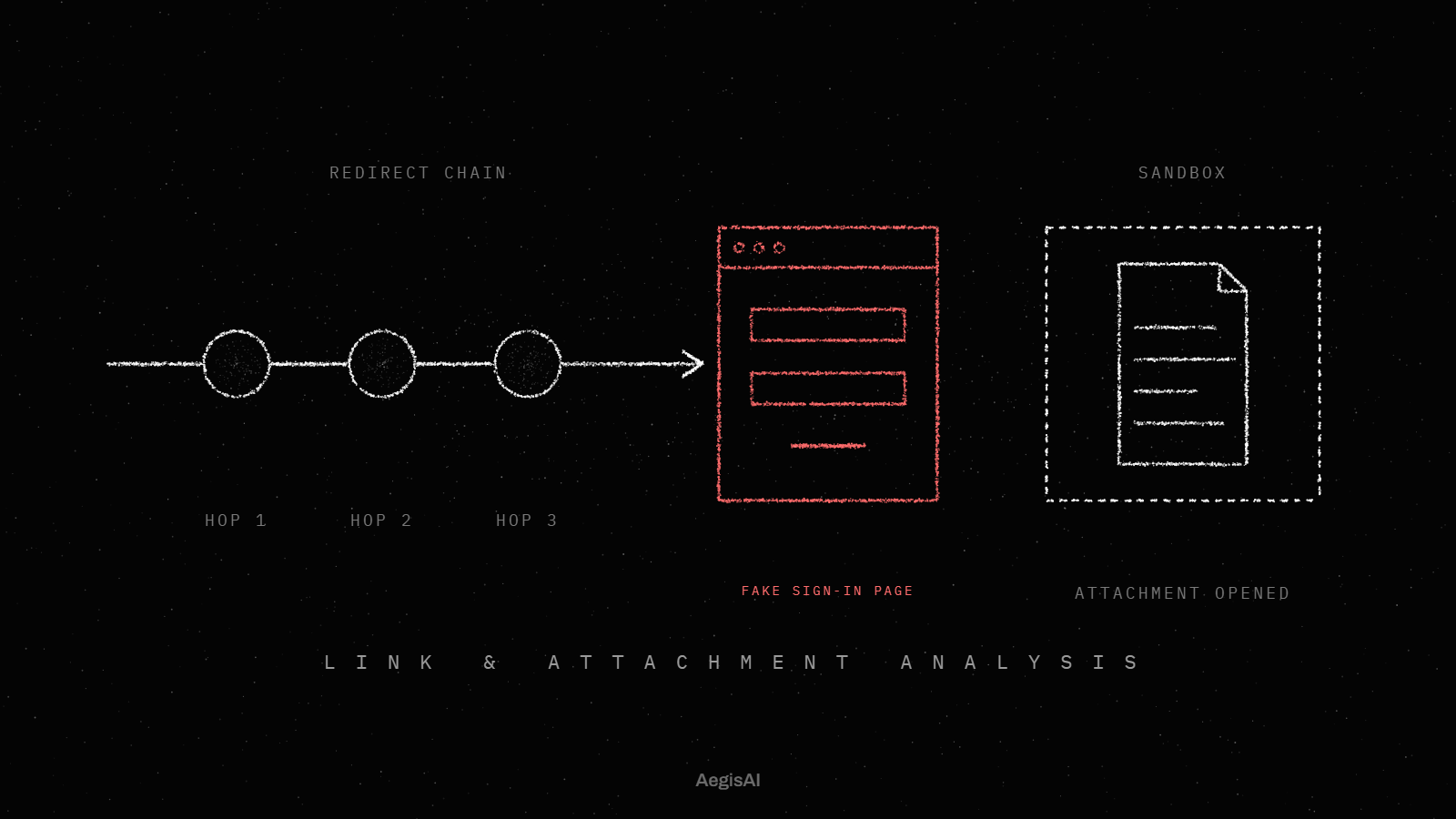
AegisAI opens every link, file and QR code in a sandbox, follows it to the end, and judges what it finds there23. A QR code is decoded to a URL and detonated like any other link. When the destination hides behind a CAPTCHA or another gate, AegisAI treats the gate itself as evidence and never scores the hidden page clean.
Track three numbers from the day you turn on the settings above.
To compare those numbers with a second reader on your own tenant, see the demo page.
Decode the QR image to its URL on a managed machine, then judge where the URL lands after every redirect, by its registered domain. Hunt for other copies in Microsoft 365 with UrlLocation QRCode in EmailUrlInfo, or in the Google Workspace investigation tool.
Quishing is phishing that hides the link in a QR code, usually as an image in the email body or inside a PDF. The URL is hidden inside an image, so text-based link checks do not see it until the code is decoded.
Defender records URLs it extracts from QR codes in the EmailUrlInfo table with UrlLocation set to QRCode, so you can hunt for them. ZAP removes delivered phishing it finds later, within the last 48 hours of delivered email.
Google's admin help names two related settings: discovery of links behind shortened URLs and scanning of images referenced by links. It does not describe QR decoding for attached images, so pair those settings with the investigation tool for clean-up.
Report it to IT straight away and say whether you typed a password. If you did, IT disables the account and revokes active sessions, which invalidates access that uses the stolen credentials.
No. A QR code alone should not automatically block a message. Block on the decoded destination and the request, and combine weak signals until the pattern is strong.