AegisAI Perspectives · 081
Choose the AI email security tool that cuts alerts per analyst and time per verdict on your own mail, then audit everything it closes without a person.
The best AI-driven email security tool for reducing analyst workload cuts alerts per analyst and minutes per verdict in your trial, and AegisAI, whose agents investigate every inbound email19, is one to test. Manual triage of one user-reported phishing alert can take up to 30 minutes1, and the four measures below apply to any tool you test.
Export a month of user-reported mail from your case queue, and record alerts per analyst and minutes per verdict as the baseline. Manual triage can take up to 30 minutes per report.
Connect the tool in read-only or monitoring mode, so its verdicts sit beside your team's verdicts before it removes any message.
Pull the tool's own figures for the same weeks: mean time to triage, plus the counts of incidents addressed and resolved4.
Draw a random sample of auto-closed reports each week, and have an analyst re-judge each one without seeing the tool's verdict.
Log every overturned verdict with its reason, and choose which ones go back to the tool as teaching feedback6.
Check the oldest action waiting for approval each Monday, because pending actions in Defender for Office 365 time out after one week12.
Recompute the four measures and the total analyst hours, then compare them with the baseline from step 1.
Write one definition for each measure into the trial plan, then ask every vendor to report against that definition.
| Measure | Count this | Divide by | Where it lives |
|---|---|---|---|
| Alerts per analyst | Items a person must open in a week | Analysts on the rota | Case queue export |
| Time per verdict | Minutes from report to verdict, by tool or person | Verdicts closed | Case timestamps; the tool's mean time to triage |
| Auto-closed share | Reports closed with no person | All reports received | Tool activity log; incidents addressed and resolved5 |
| Overturned share | Auto-closed items an analyst re-judged as wrong | Items in the weekly sample | Audit sheet you keep |
Take minutes per verdict from your own case timestamps, not from a vendor slide. Microsoft's Phishing Triage Agent shows daily activity and mean time to triage on its Performance tab. Its incident queue card counts incidents addressed and resolved since the agent's first recorded incident or over the last 30 days, whichever is more recent.
Illustrative example, figures are fictional: Northgate Clinics (fictional) exports one week of user reports from its Microsoft 365 case queue and counts 120 reports for 3 analysts. The team divides 120 reports by 3 analysts to get 40 alerts per analyst, and multiplies 120 reports by 20 minutes to get a baseline of 40 analyst hours a week. In the read-only trial the tool closes 78 of the 120 reports with no person, an auto-closed share of 65%. An analyst re-judges a random sample of 10 closed reports and overturns 1, an overturned share of 10%. The team logs that overturn with its reason in the audit sheet and sends it to the vendor as feedback. Analysts work the remaining 42 reports at 12 minutes each from the case timestamps, which cuts the queue from 40 to 8.4 analyst hours a week. Northgate then adds 2 hours a week for the audit sample and the pending approvals, so the load it reports is 10.4 analyst hours.
One AI SOC vendor says its tool cuts a typical 30-minute manual analysis to around 60 seconds13. Another vendor says it escalates fewer than 2% of alerts for human review14. The same guide says a MITRE ATT&CK coverage score above 60-70% is likely inflated15.
Ask each vendor for the denominator behind every figure: which alerts and which team, in which month. Then rerun the figure on your own reported mail during the read-only trial.
Microsoft's Phishing Triage Agent resolves a false alarm as a false positive and leaves a malicious alert open for an analyst3. Automated investigation and response (AIR) in Defender for Office 365 also resolves alerts where it finds no threat, which is common for user submissions10.
Draw a random sample of those closures every week and have an analyst re-judge each one, so the overturned share gives your error rate on closed work. Record the reason for every overturn in the audit sheet. The triage agent records analyst feedback for audit and uses it to teach the agent only when the analyst selects that option.
In Microsoft 365, soft deleting messages and turning off external forwarding need approval from a member of the security operations team11. AIR approves the actions it generates for malicious URL and file clusters automatically9. Pending actions time out after one week.
Report the age of the oldest pending approval each week, because that age measures work the tool queued for your team.
The Phishing Triage Agent gives a plain-language explanation for every verdict and lets analysts view the steps it took2. It adds an Agent tag to each incident it handles, so analysts can filter the queue to those cases8.
In the trial, ask the vendor to show the reason behind one clean verdict and one malicious verdict from your own mail. Time how long an analyst takes to confirm each reason, and add that time to minutes per verdict.
Count total cost of operation as the licence plus the analyst time spent managing alerts, tuning policies and handling escalations, as one buying guide advises16. Check that the tool covers inbound, outbound and internal mail, which the same guide lists as a key selection factor17.
Where a vendor prices by use, ask for the cost per email processed, which Microsoft's usage dashboard shows for its triage agent7. Multiply the analyst hours from your trial by your loaded hourly rate, and add the result to the licence before you compare tools.
AegisAI's agents investigate every inbound email for what it is trying to do, and remove the ones that fail from every mailbox they reached19. One bad email is pulled from every inbox it reached, forwards included23. AegisAI runs in monitoring mode first, and removal needs write access your admin grants and can revoke21. The median verdict takes 1.9 seconds18.
Book a trial on your own tenant through the demo page, after reading the inbound email security page. For the workflow around the tool, read how autonomous email threat response reduces SOC workload and how to reduce SOC time spent on phishing triage.
Pick the tool that lowers alerts per analyst and minutes per verdict on your own reported mail, while the weekly audit of auto-closed items stays clean. Vendor figures, such as a 30-minute analysis cut to around 60 seconds, use the vendor's own baseline.
One vendor claims it escalates fewer than 2% of alerts, and that claim needs a rerun on your own queue. Set your target as the highest auto-closed share that survives the weekly audit with few overturned verdicts.
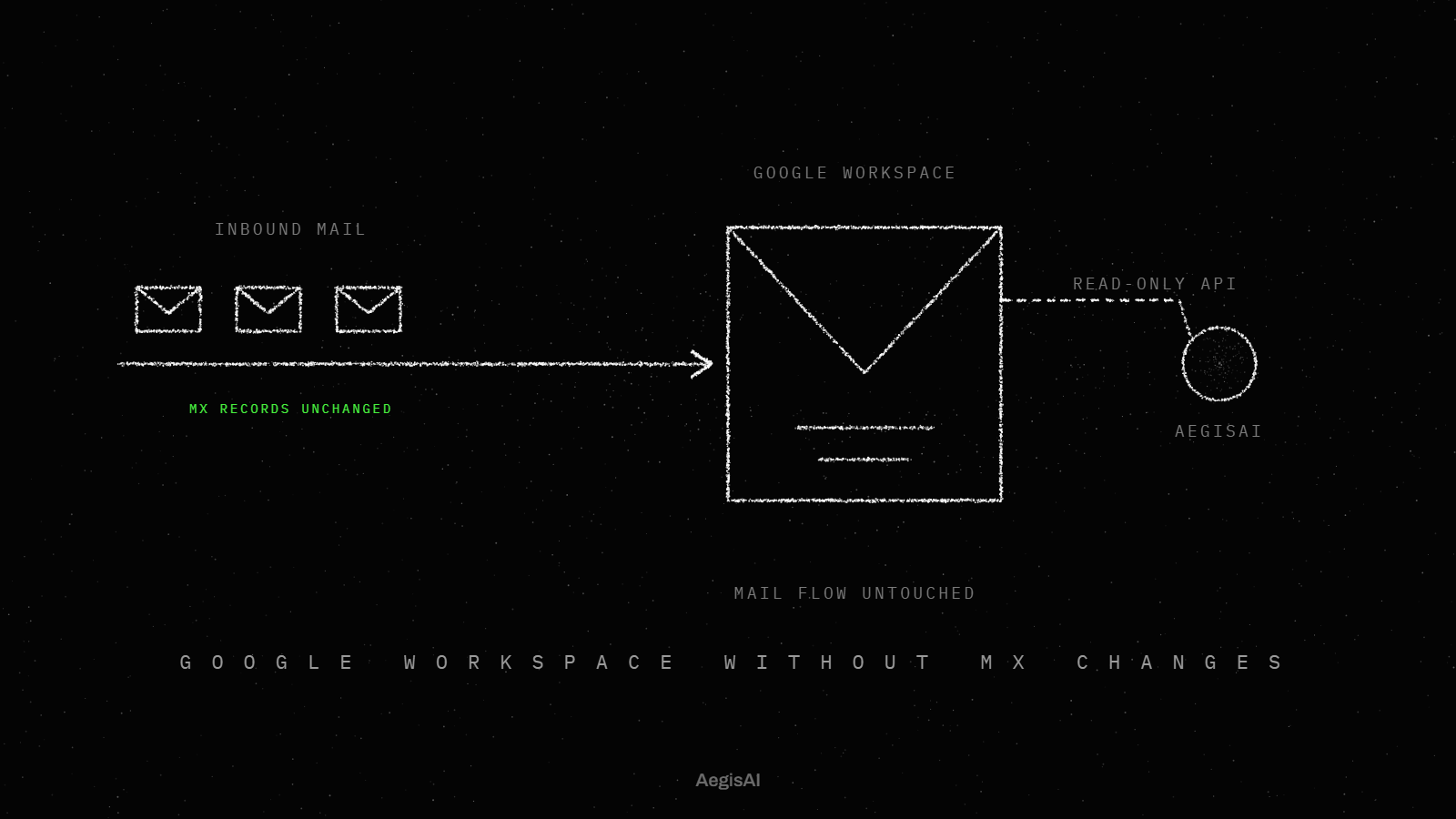
Run the tool read-only first, and compare its verdicts with your team's before you grant write access. AegisAI runs in monitoring mode first, and removal needs write access your admin grants and can revoke.
No, because Microsoft's triage agent leaves a malicious case open for an analyst. AIR closes the alerts where it finds no threat, which is common for user submissions. Analysts still work the approvals and the overturned verdicts, plus any incident that touches accounts or payments.
Subtract the report timestamp from the verdict timestamp for every case, whether the tool or a person closed it. A person can need up to 30 minutes per report.
Licence price leaves out the analyst time spent on alerts, which one buying guide counts in total cost of operation. Compare the tools on the licence plus the analyst hours from your trial.